
Connect IQ
Nine AI tools one enterprise product!

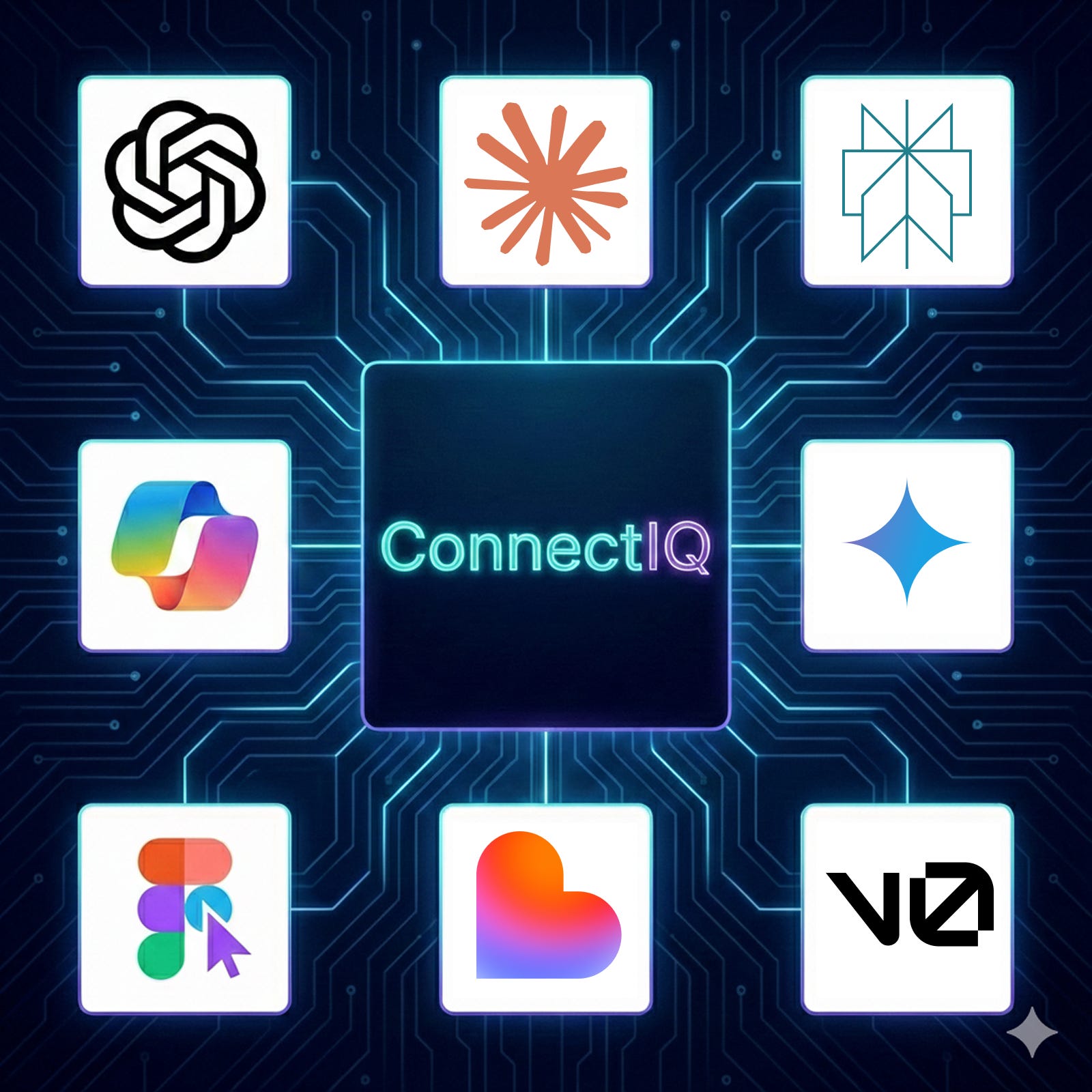
If you gave nine different AI tools the same enterprise design challenge, would they solve the same problems? Would they prioritize the same features? Would any of them create accessible interfaces?
I decided to find out.
As design leaders, we’re seeing AI tools proliferate across our organizations. But most conversations stay surface-level: “AI is transformative” or “AI will replace designers.” I wanted to move past the hype and understand something more fundamental: how do different AI models actually approach complex design problems?
So I created a detailed design brief for “ConnectIQ,” an AI-enhanced contact center platform for companies with 500–5000+ employees, and tested it with nine AI tools:
Text AI (5 models): ChatGPT, Claude, Perplexity, Microsoft Copilot, Gemini
Visual AI (4 tools): Figma Make, Lovable, v0.dev, Claude Artifacts
Same prompt. Same requirements. Nine completely different results.
The most critical finding? Every single tool, all nine, failed accessibility.
The Experiment
The Challenge
ConnectIQ needed to serve three user types with conflicting needs:
Customer service agents handling 100+ daily interactions
Supervisors managing teams of 10–20 agents
Operations managers forecasting and optimizing at scale
The design had to balance innovation with enterprise reality: real-time performance (<200ms), security compliance (SOC 2, GDPR, HIPAA), legacy system integration, and change management for thousands of users.
This tests whether AI understands:
Multi-persona complexity
Enterprise constraints
Strategic vs. tactical thinking
Innovation within operational limits
The Method
Text AI Phase:
Five models received the same detailed prompt asking for product strategy, IA, key features, workflows, design principles, AI philosophy, and success metrics. Target: 1,500–2,500 words.
Visual AI Phase:
Four tools received a minimal prompt: “Design the Agent Workspace and Supervisor Dashboard for ConnectIQ.”
I evaluated everything systematically: feature depth, enterprise understanding, creativity, usability, and critically, accessibility.
What the Text AI Models Revealed
Each model had a distinct “personality” and approach.
ChatGPT: The Balanced Generalist
Delivered 2,500 words of tightly structured analysis with hierarchical bullets. Balanced strategic thinking with tactical detail.
Unique contributions:
ABAC (Attribute-Based Access Control)
“Evidence-First Cards” UI pattern
Best adherence to length constraints
Limitations: Conservative positioning, standard naming, less focus on human factors.
Claude: The Creative Humanist
2,800 words of narrative prose with novel frameworks and human-centered emphasis.
Unique contributions:
“EQ Layer” for human states
“Just-in-Time not Just-in-Case”
“Human-in-the-Loop Guarantee”
Limitations: Less enterprise detail, fewer workflows, fewer modules.
Perplexity: The Research Scholar
2,600 words grounded in real enterprise system behavior.
Unique contributions:
Edge computing for latency
“AI authority levels” governance
Separate AI performance metrics
Limitations: Less memorable positioning, longer latency targets.
Microsoft Copilot: The Technical Architect
4,000+ words, reading like a full PRD.
Unique contributions:
Monte Carlo scenario analysis
Causal inference models
Aggressive latency targets
Explicit bias testing
Limitations: Overly long, less creative, overwhelming detail.
Gemini: The Clarity Advocate
2,400 words with the clearest problem–solution framing.
Unique contributions:
Graceful degradation
Reduce effort, increase confidence
Intent-centric positioning
Non-judgmental interface
Limitations: Less technical innovation, fewer memorable concepts.
The Pattern: Strategic vs. Tactical Split
Strategic thinkers: Claude, Gemini
Balanced: ChatGPT, Perplexity
Tactical implementer: Copilot
What they all missed: Accessibility, change management, user research, mobile, offline, internationalization.
What the Visual AI Tools Revealed
Four tools were selected for enterprise relevance.
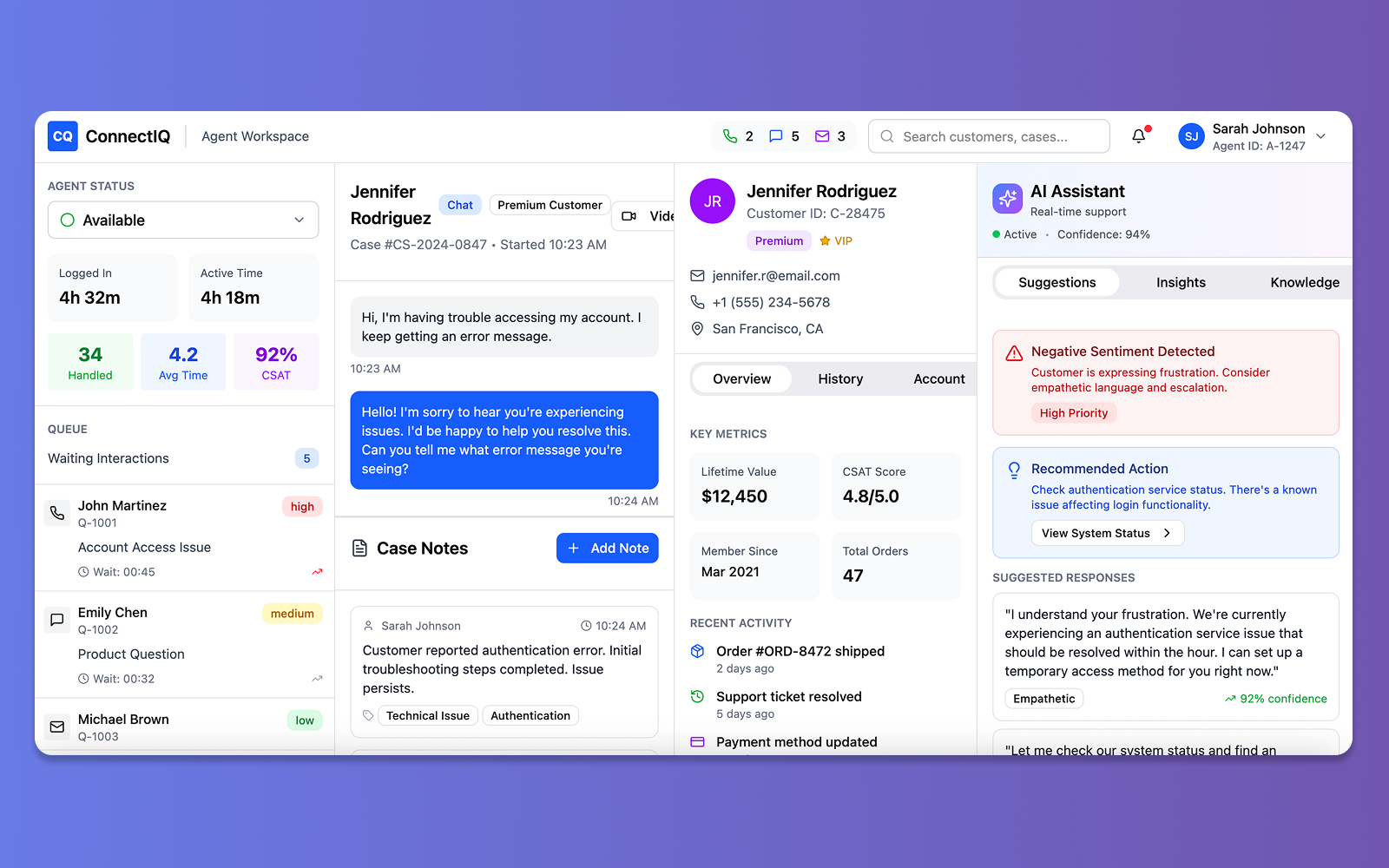
🔸Figma Make: Industry Standard Polish
Polished, professional interfaces with a three-panel layout.
Weakness: Contrast violations, color-only indicators. Score: 8/15.
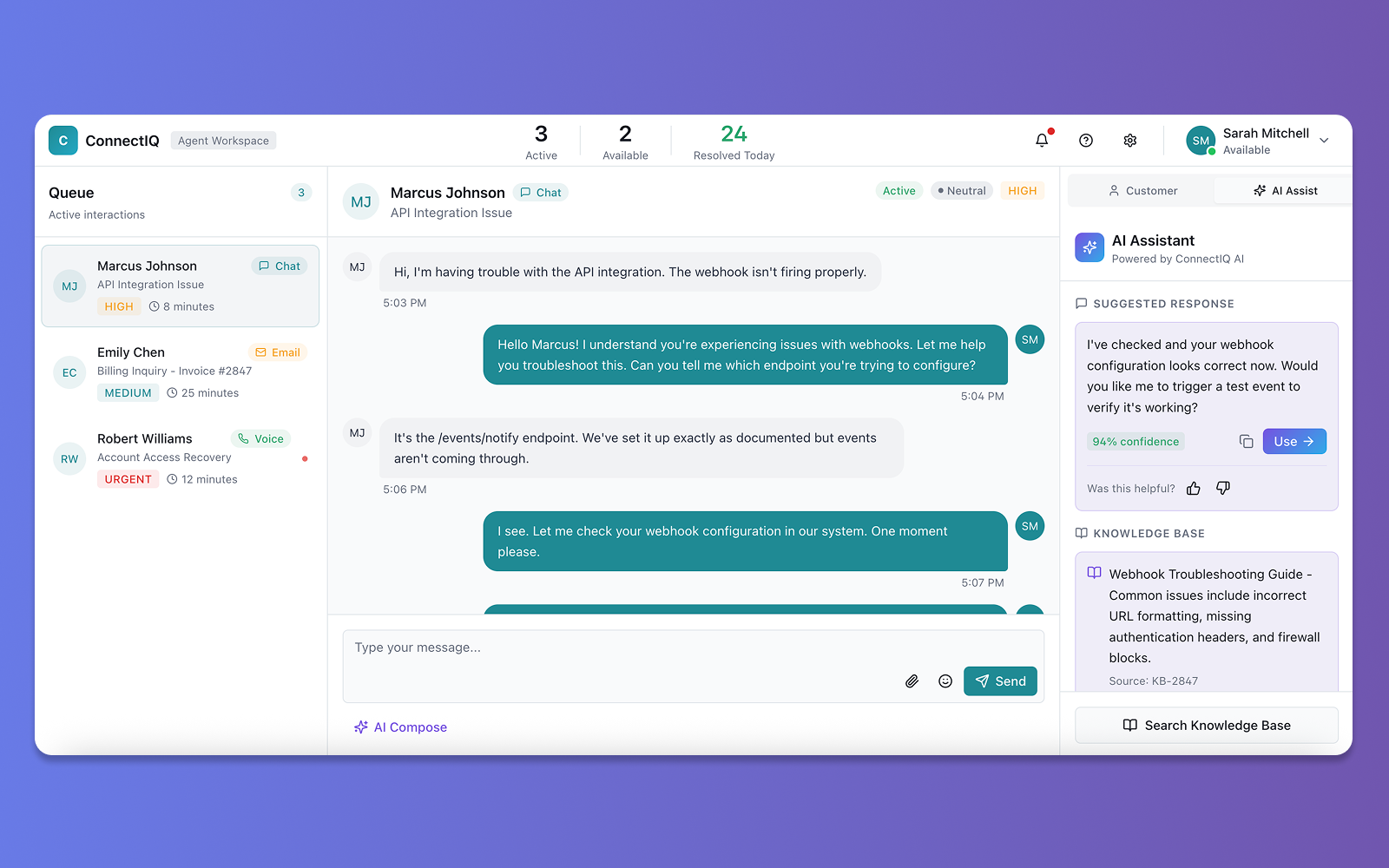
🔸Lovable: Full-Stack Prototyper
Generated working React code, not just mockups.
Weakness: Orange/red badges, color-coded bars. Score: 8/15.
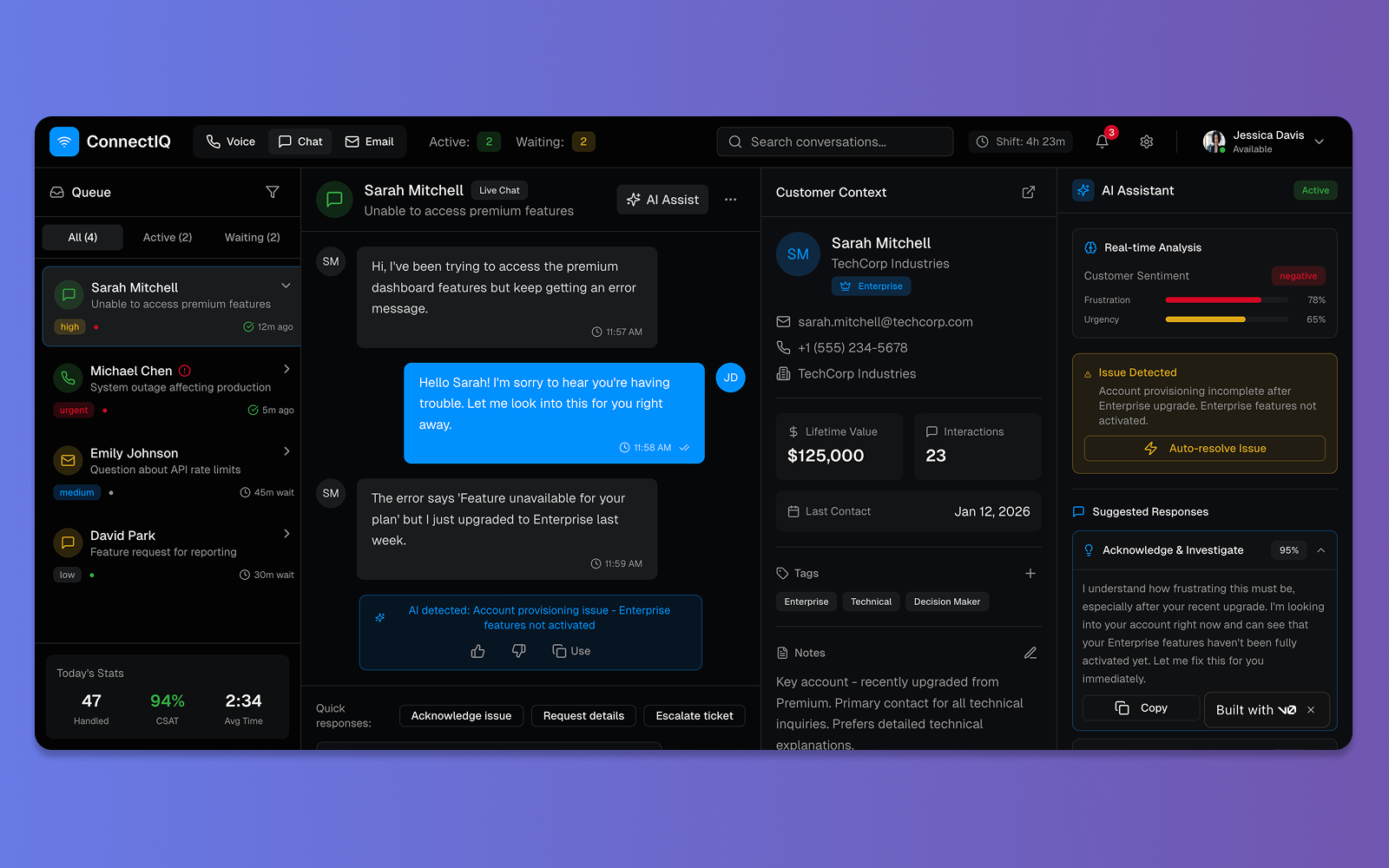
🔸v0.dev: Power User Interface
Dark theme, high-density, enterprise-ready features.
Weakness: Severe accessibility violations. Score: 3/15.
🔸Claude Artifacts: Accessibility Leader
Light theme, whitespace, clarity-first.
Strength: Best accessibility baseline (12/15).
Weakness: Still not fully compliant.
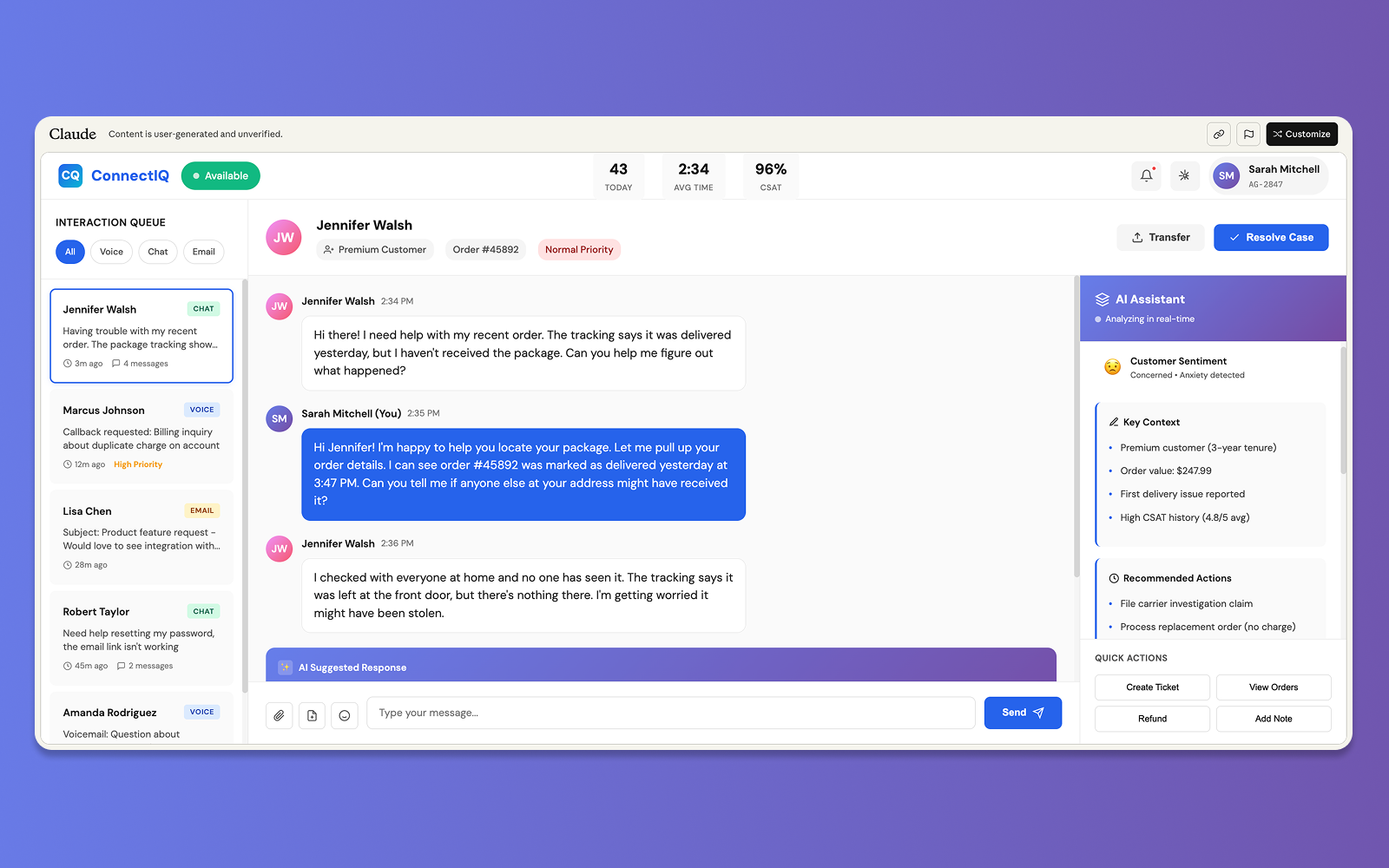
The Universal Failure: Accessibility
All four visual tools made similar mistakes:
Red/orange text on dark or light
Color-only indicators
Missing icons/patterns
Color-only progress bars
Impact:
8% of male users (colorblind) would struggle. Low-vision users would fail. Enterprise audits would fail.
Beautiful ≠ accessible.
The Critical Finding: AI’s Accessibility Crisis
Every single AI tool failed accessibility. All nine.
Text AI Models
Zero mention of WCAG
Zero mention of screen readers
Zero mention of colorblindness
Zero mention of keyboard navigation
Visual AI Tools
v0.dev: 3/15
Lovable: 8/15
Figma Make: 8/15
Claude: 12/15
The Impact
In enterprise software, these failures mean:
Legal risk
Excluded users
Failed procurement
Expensive remediation
Accessibility is not optional.
What Design Leaders Need to Know
1. Tool Selection is Strategic
Use text AI for strategy, documentation, research.
Use design AI for visuals.
Use development AI for functional prototypes.
Never use AI alone for final decisions or accessibility.
2. Multi-Tool Synthesis is Optimal
Generate
Compare
Synthesize
Add what AI missed
Validate with users
3. Accessibility Requires Human Vigilance
Assume AI outputs are not accessible.
4. Skills Design Leaders Need Now
Prompt engineering
Critical evaluation
Tool selection
Synthesis
Accessibility advocacy
Ethical judgment
Key Takeaways
About AI Tools:
Each has distinct strengths
Design AI ≠ Development AI
Multi-tool synthesis wins
AI amplifies process but cannot replace it
About Accessibility:
All 9 tools failed
Text AI ignored it
Visual AI violated contrast
Human oversight is essential
About Design Leadership:
Synthesis is the superpower
Tool selection is strategic
Accessibility advocacy is required
AI accelerates but doesn’t replace human-centered design
What’s Next
AI will improve, but the insights remain:
AI amplifies design leadership, accessibility requires humans, and synthesis across tools produces better outcomes.
Let’s Connect
If you’re navigating AI transformation in design leadership, I’m interested in comparing notes.
Areas of focus:
Evaluating AI tools
Building AI-literate design practices
Addressing accessibility gaps